
Riffusion – AI Music Generator That Will Inspire You
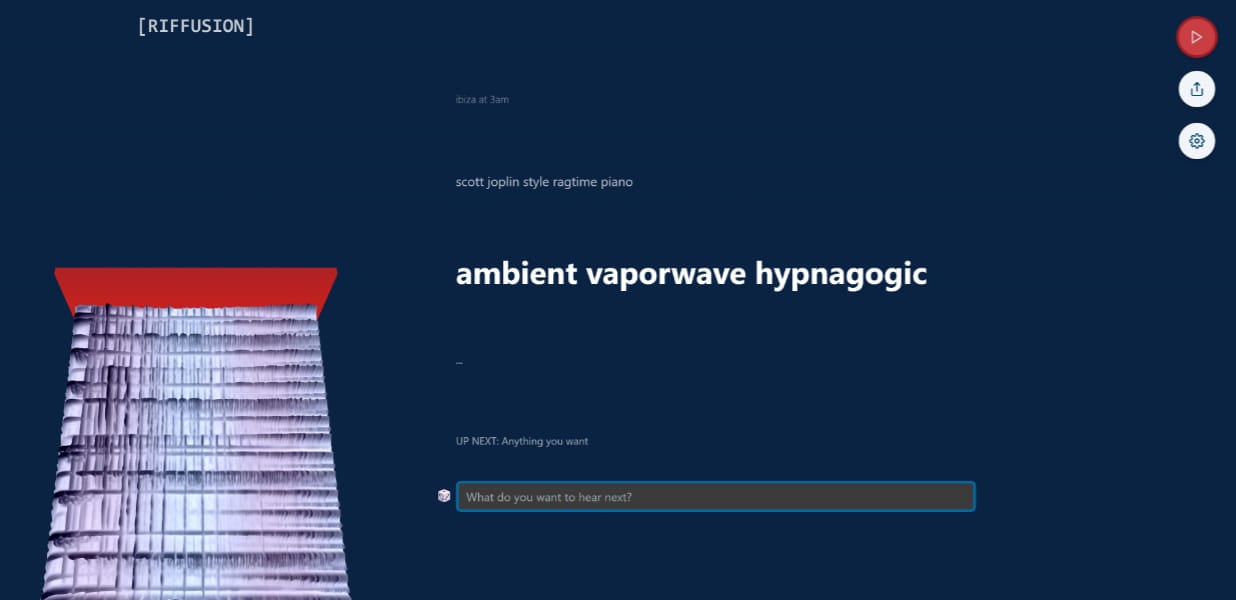
Riffusion is far from perfect. The audio quality is very low and not even close to studio-quality music. The sound palette is limited, and the music timing is terrible. However, it’s a great AI tool for generating musical ideas on the fly.
Riffusion as an inspiration tool to quickly test new ideas. Let’s say you want to hear how a nu-metal track with disco influence would sound.
With Riffusion, you can quickly use AI to generate a piece of music that mixes these genres and realize what a terrible idea it is.
Tone Transfer – AI Music Generator With Acoustic Instruments
Tone Transfer is one of the most effective uses of AI to create new music. You can input your melody by uploading an audio file or humming it into your microphone. Tone Transfer will use it to play AI-generated music using acoustic instruments.
You can transform your AI melody into four instruments: concert flute, violin, trumpet, and saxophone.
Note that you cannot play chords. Instead, Tone Transfer is only capable of generating monophonic single-voice melodies. Otherwise, you’ll end up with weird noises instead of clean tones.
The results are lo-fi, but compared to Riffusion, it sounds really good! While Tone Transfer is imperfect, the acoustic instrument’s articulations are fairly realistic. I already see myself using it for lo-fi music production (i.e., lo-fi hip-hop).
Magenta DDSP – AI Music Generator For Your DAW
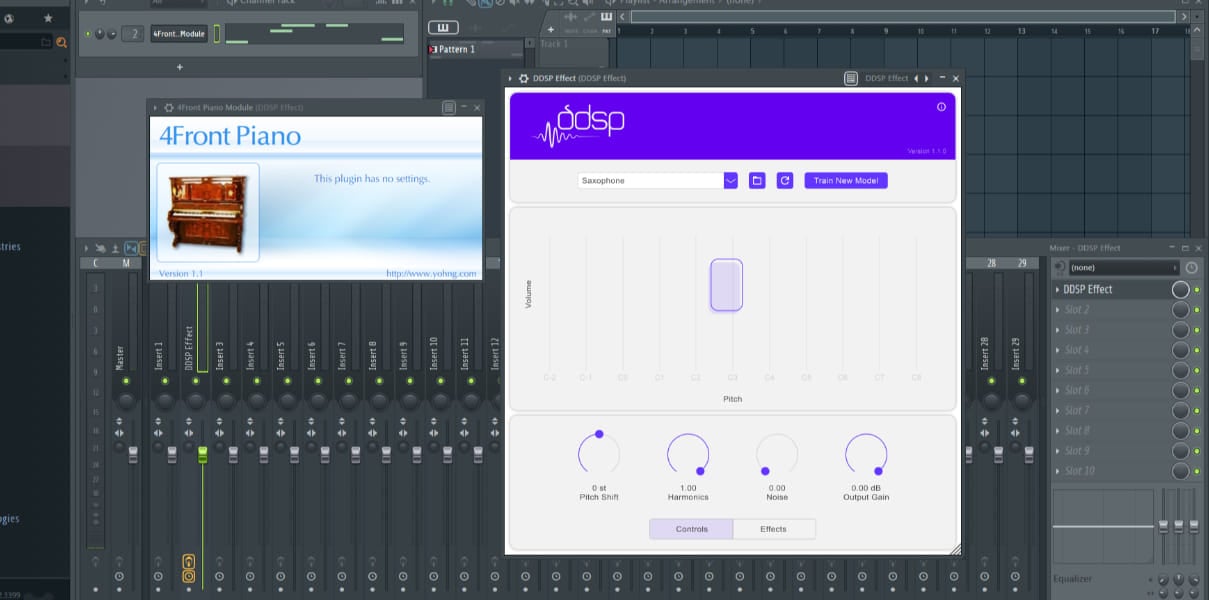
Magenta DDSP is one of the most exciting uses of AI technology in music production. Since it’s a VST3 plugin for Windows and macOS, you can do what Tone Transfer does but with more control and inside your DAW!
Another benefit of using DDSP is the addition of more acoustic instrument sounds to play with.
Magenta DDSP adds a melodica, a bassoon, and a sitar, among 11 different sounds to experiment with. However, they don’t all sound as good as the instruments provided with Tone Transfer. The sitar and clarinet, for example, don’t sound realistic, while the brass instruments are usable.
According to Sam Gossner, the developer behind Versilian Studios, this is the future of virtual instruments because AI-based music models recreate the nuances of pitch and dynamics of acoustic instruments way better than a sample library could do.
For the moment, AI music generators like Magenta DDSP are not perfect, but the potential of this kind of technology is huge.
Magenta Studio – A Standalone AI Music Generator With MIDI
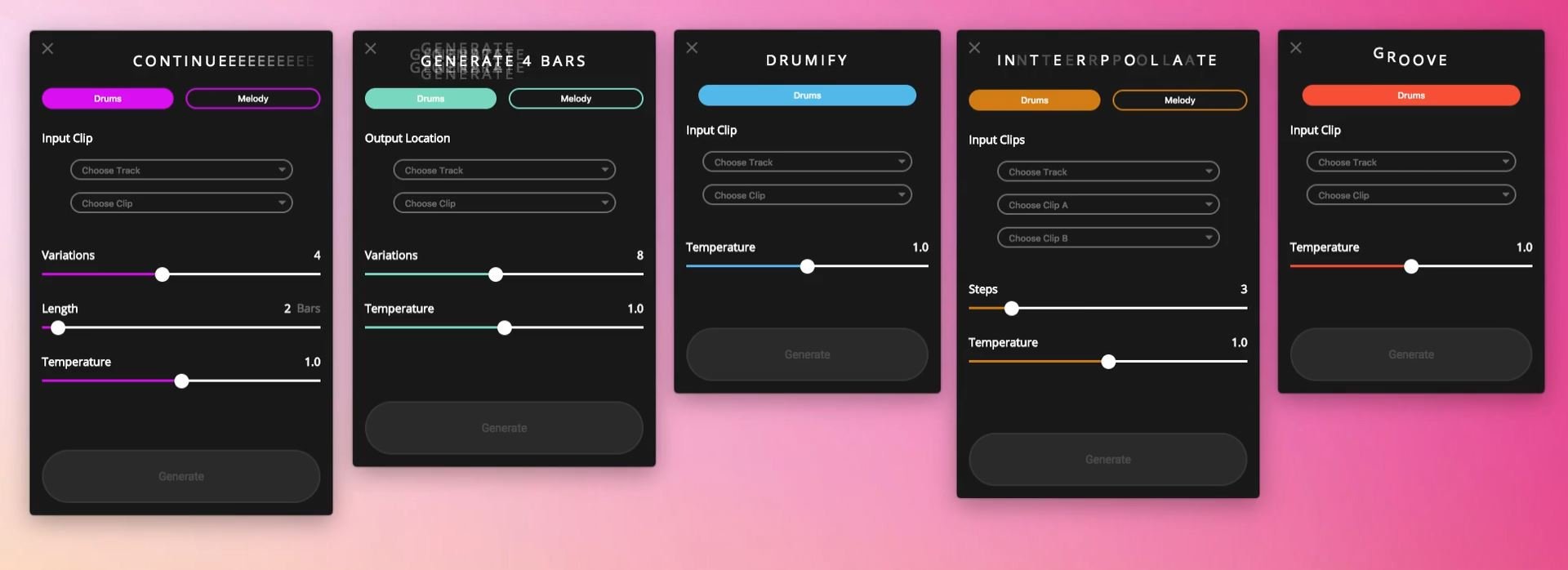
Magenta Studio is a suite of MIDI-processing AI devices available as standalone apps and Ableton Live plugins.
The only device that generates MIDI is the aptly-named “Generate” app. It can be used to create original drum loops and melodies.
With “Generate,” the results are rather hit-and-miss. But when it hits, the AI-generated music piece is highly usable.
Magenta Studio’s music generation can work as a starting point to create your own melodies. I see it as an excellent way to beat writer’s block.
Understanding the “Temperature” parameter is vital: the higher the temperature, the more random the output will be. The Temperature control acts the same way in all the devices.
The “Continue” parameter creates variations with MIDI files you load into it, and it’s really good!
All the AI-generated musical variations I got were usable and inspiring.
The only problem is that it ignores velocities. It’s a good tool to use when you want to finish a track but feel uninspired. “Continue” creates variations that can spark new ideas.
“Interpolate” is the most interesting device in the suite. You load two MIDI files in it, and it will interpolate four different MIDI sequences out of the two. It’s fun to experiment by mixing two MIDI loops from different genres and produce highly musical results.
“Drumify” is the simplest of the batch; you load a MIDI loop (drum or melody) in it and get a MIDI drum loop out of it. I found the results to be good and original during my test.
Unlike “Continue,” “Drumify” will consider MIDI velocities, and they don’t feel random; they have a groove to them.
“Groove” adds groove to your perfectly quantized MIDI drum loops. It will adjust the timing and velocity of the drums to create a more “human” rhythm. If you’re not a live-performing musician, this is a great tool to add a groove to your music.
You can even create a simple one-bar drum loop, copy it four times, and export it as a MIDI loop, and “Groove” will add a groove and variations! Love it!
Overall, Magenta Studio is a great tool to get inspired and spins new ideas out of existing concepts. It’s too bad that it’s unavailable as a VST3 plugin suite.
DrumNet – FREE AI Drum Generator
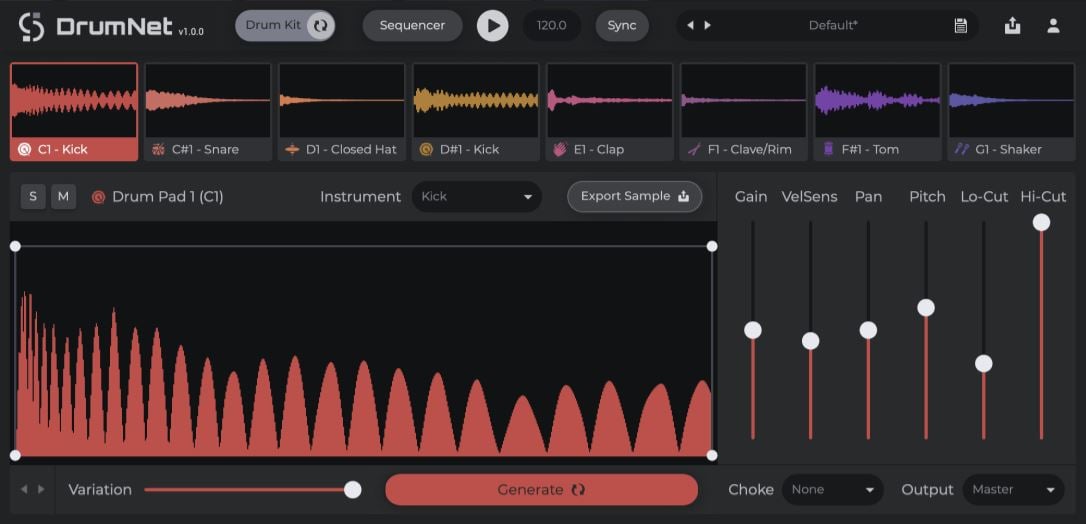
DrumNet is a FREE AI drum sound generator by Session Loops. It is an 8-slot drum sampler that uses AI to generate the samples and custom drum kits from scratch.
You can fine-tune the AI-generated drum samples with gain, velocity, panning, pitch, and filtering controls. DrumNet also includes a robust drum sequencer with features like note repeat, swing, and velocity.
DrumNet’s AI drum generator sounds similar to a drum machine, so it’s useful for synthesizing unique variations of electronic drum sounds.
The free version is fully functional but doesn’t allow sound exporting. You can still use it in your DAW to generate and process drum sounds.


