

Zebralette is an introduction to Zebra2’s powerful oscillators. Zebra2 can seem overwhelming at first glance, so we stripped it down to a single oscillator plus a few other features and created Zebralette, the little Zebra. Once you master Zebralette you can move up to Zebra2 with confidence. And your presets can come with you, as Zebralette presets can be opened in Zebra2.
But more than a teaching tool, Zebralette is an incredible sounding synth in its own right. Surrounding Zebra’s spectral oscillator with a few core modulation options and effects make Zebralette highly capable. With unison options (think supersaw, but Zebralette is not limited to saw waves, so we refer to it as superwave), 16 voice polyphony and two different envelopes, you have everything needed to create some marvellously complex sounds.
Zebra oscillator
One oscillator may not seem like enough for a synthesizer, but Zebra2 oscillators are rather powerful and clever.
It resembles many other oscillators you may have used. You can choose a waveset from the included library, or use the waveform editor to draw your own shapes. Here is where things start to get interesting: The Waveform Editor manages up to 16 different waves and lets you rearrange, duplicate and morph between individual waves. Use one of modulation sources and the WaveWarp control to scan through the 16 waves and create unusual, dynamic sounds.
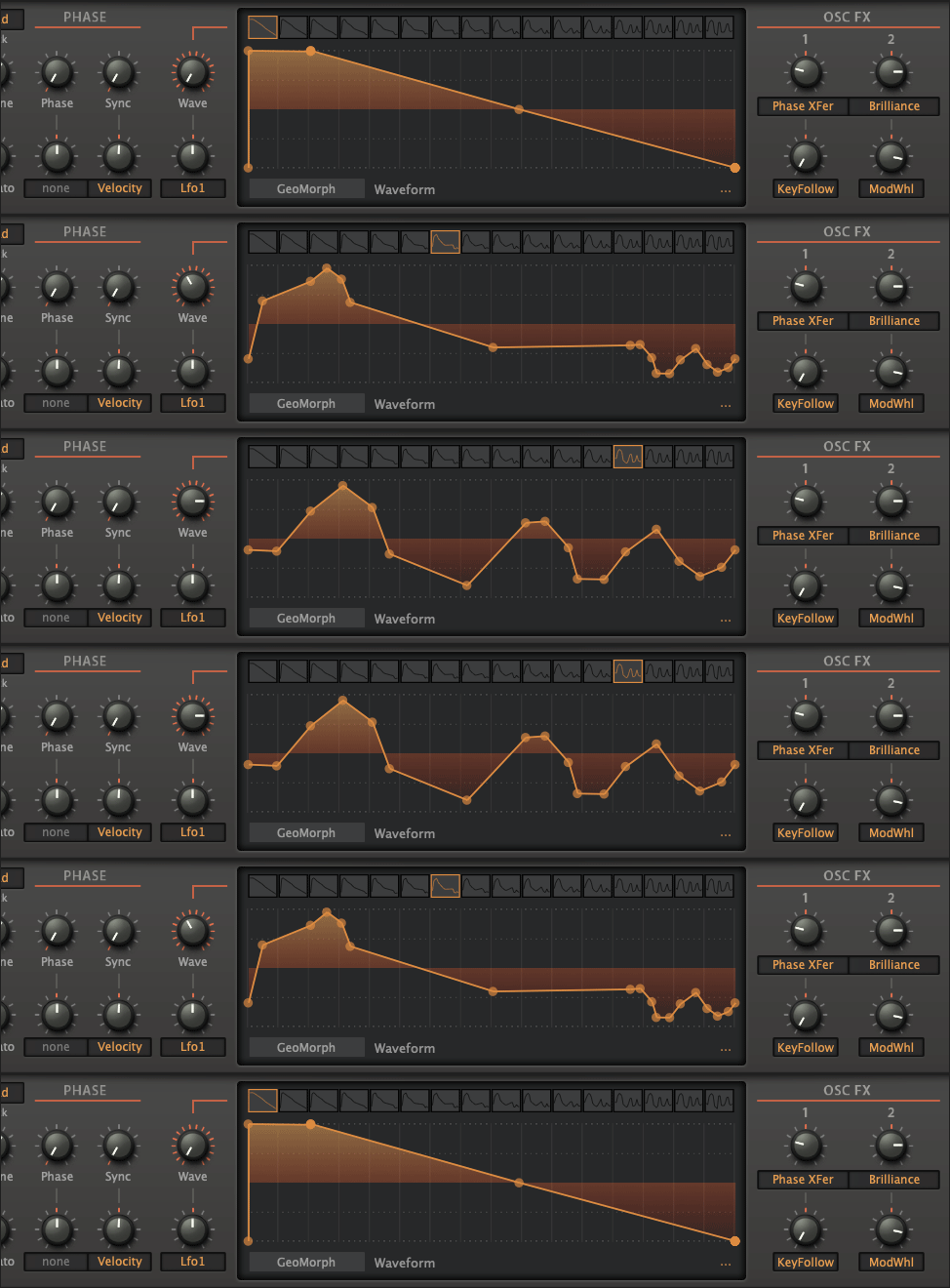
There are four drawing modes: GeoMorph, SpectroMorph, GeoBlend, SpectroBlend, each offering a different approach to creating and manipulating waveforms.
Using the two Geo modes you draw the waveform shape using up to 32 points, while the Spectro modes let you create the harmonic spectrum over 128 columns. When using WaveWarp to scan through the waveset, Morph alters the waveform, whereas Blend blends (crossfades) between adjacent waves.
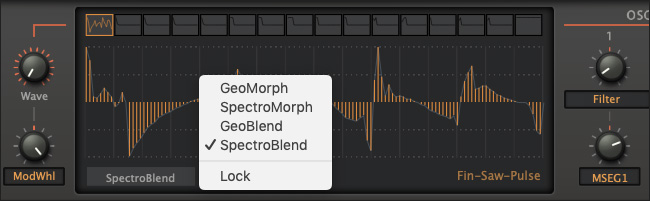
SpectroBlend drawing mode
To add further complexity, use one of the 24 Spectral Effects to warp, mangle or add subtle harmonics to your sound.
Requirements
Linux
- Host software / DAW
- 1GB RAM, more recommended
- 1000 × 600 or larger display
- 50-125 MB free disk space
- Modern CPU required:
Windows/Linux: Intel Nehalem or newer, AMD Bulldozer or newer
Mac: Intel Nehalem or newer, Apple silicon M1 or newer - Linux: glibc version 2.28 or newer
Formats
Zebralette is not a standalone product, it requires host software. Zebralette is compatible with nearly all DAWs.
macOS:
- CLAP, AUv2, VST3, AAX*
- 64-bit
Windows:
- VST3
- 32-/64-bit
- CLAP, AAX*
- 64-bit
* AAX requires Pro Tools 10.3.7 or later